

Free plan & upgrades
Core capabilities and limits of the Free plan
The Free plan allows you to experience vibe coding at zero cost. You will receive 10 credits (enough to complete 1 small project), anautocoder.cc subdomain for hosting, and community support. You can also earn extra credits by completing missions in Usage & Credits at the top right corner.
Note: The Free plan does not support Source Code Export, nor does it provide priority access to model upgrades and new product features.
The core value of upgrading to a paid plan
Upgrading to the Standard or Pro plan truly unlocks AutoCoder.cc’s potential as your “AI development team.” You will have ample credits to build and perfect your projects (up to 180 credits, enough for large-scale project development) and unlock the Source Code Export feature, giving you complete control over the full-stack applications you generate. Additionally, you will receive dedicated email support and priority access to new AI models and product upgrades (exclusive to the Pro plan).Choosing a plan
Here is a quick comparison to help you choose the right AutoCoder.cc plan for your needs:Free
$0 / month Ideal for experiencing vibe coding.
- 10 credits (1 small project)
- Unlimited initial subdomains
- Community support
Standard
$25 / month Designed for creators and personal brands.
- 45 credits (3-5 complete projects)
- Source Code Export
- Unlimited initial subdomains
- Email support
Pro (Most popular)
$60 / month Built for heavy users and startup teams.
- 180 credits (8-12 large projects)
- Priority access to new AI models
- Source Code Export
- Unlimited initial subdomains
- Priority email support
Purchasing a plan
Payment methods
We provide secure and convenient payment services through Stripe. We support major credit cards (including Visa, Mastercard, Amex, UnionPay, JCB, etc.). You can also choose your preferred billing currency (e.g., USD or GBP) on the payment interface.Invoicing
Upon successful payment, Stripe will automatically send an electronic receipt to your registered email address.Unlocking Pro features
Unlike traditional plan upgrades, purchasing a higher-tier plan is primarily designed to let you immediately unlock and prioritize the use of Pro-level advanced features, and to provide you with sufficient credits to build projects with complex business logic.Credit usage
Usage & Credits
You can click the Usage & Credits icon in the top right corner of the AutoCoder.cc Workspace navigation bar to enter the center. Here, you can view your real-time available credit balance, credit rules, history, and earn free credits by completing missions.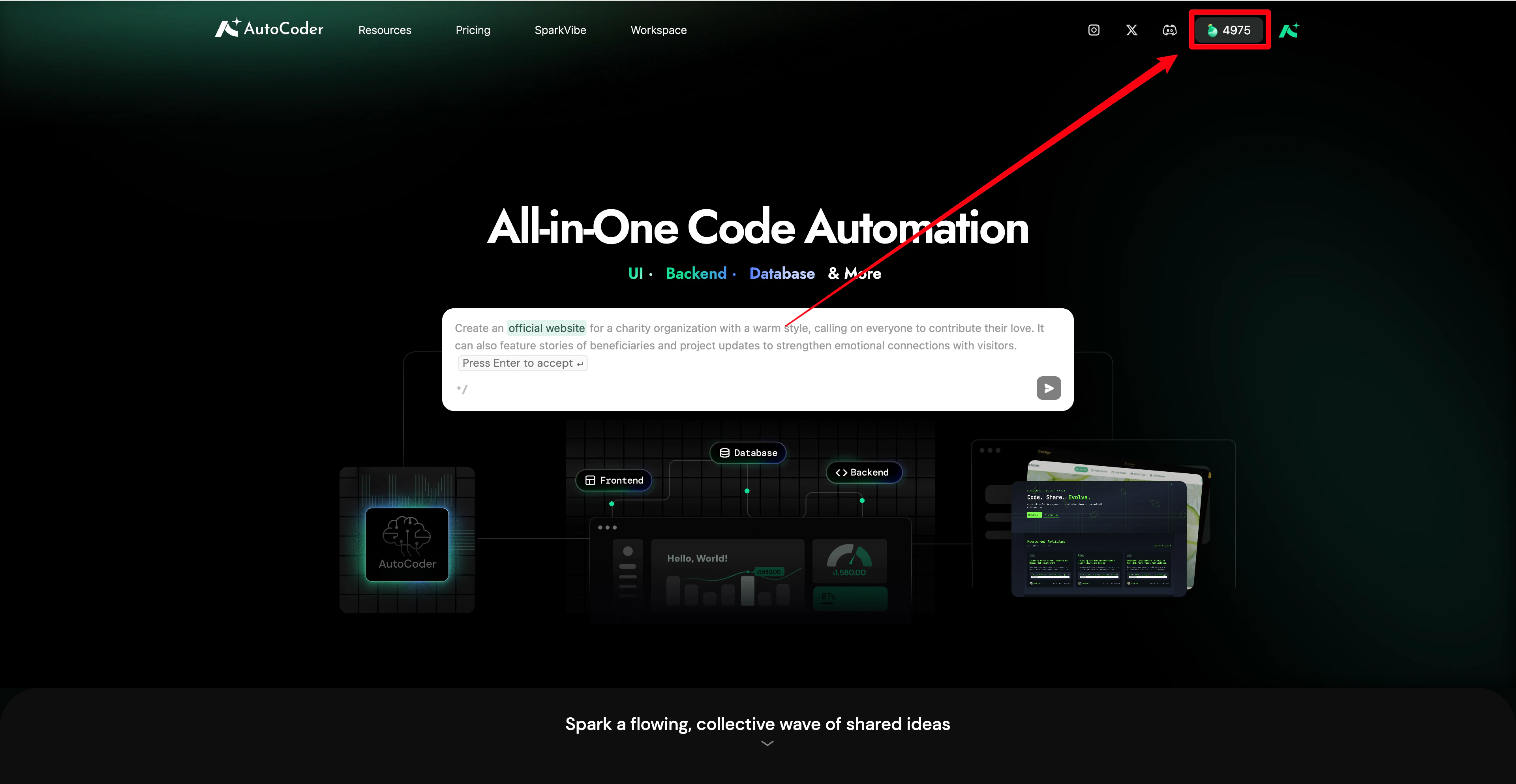
Credit explanation & expiration
Depending on how they are acquired, the expiration and consumption order of credits are as follows (the system prioritizes deducting the credits that expire soonest):- Mission credits: Deducted first. Earned by completing platform missions, they expire 7 days after acquisition.
- Monthly credits: Deducted second. Acquired through paid subscriptions, they automatically refresh and reset on your billing date each month.
- Sign-up credits: Deducted last. These credits never expire.
Credit consumption rules
Credits are deducted based on the number of tokens processed by the AI. The more complex the application, the more code generated, or the longer the conversation, the more tokens and corresponding credits are consumed.Credit history
Click History within the Usage & Credits pop-up to view a detailed breakdown of all your credit changes, including specific dates, reasons for changes (e.g., mission rewards or project consumption), and the amounts added or deducted.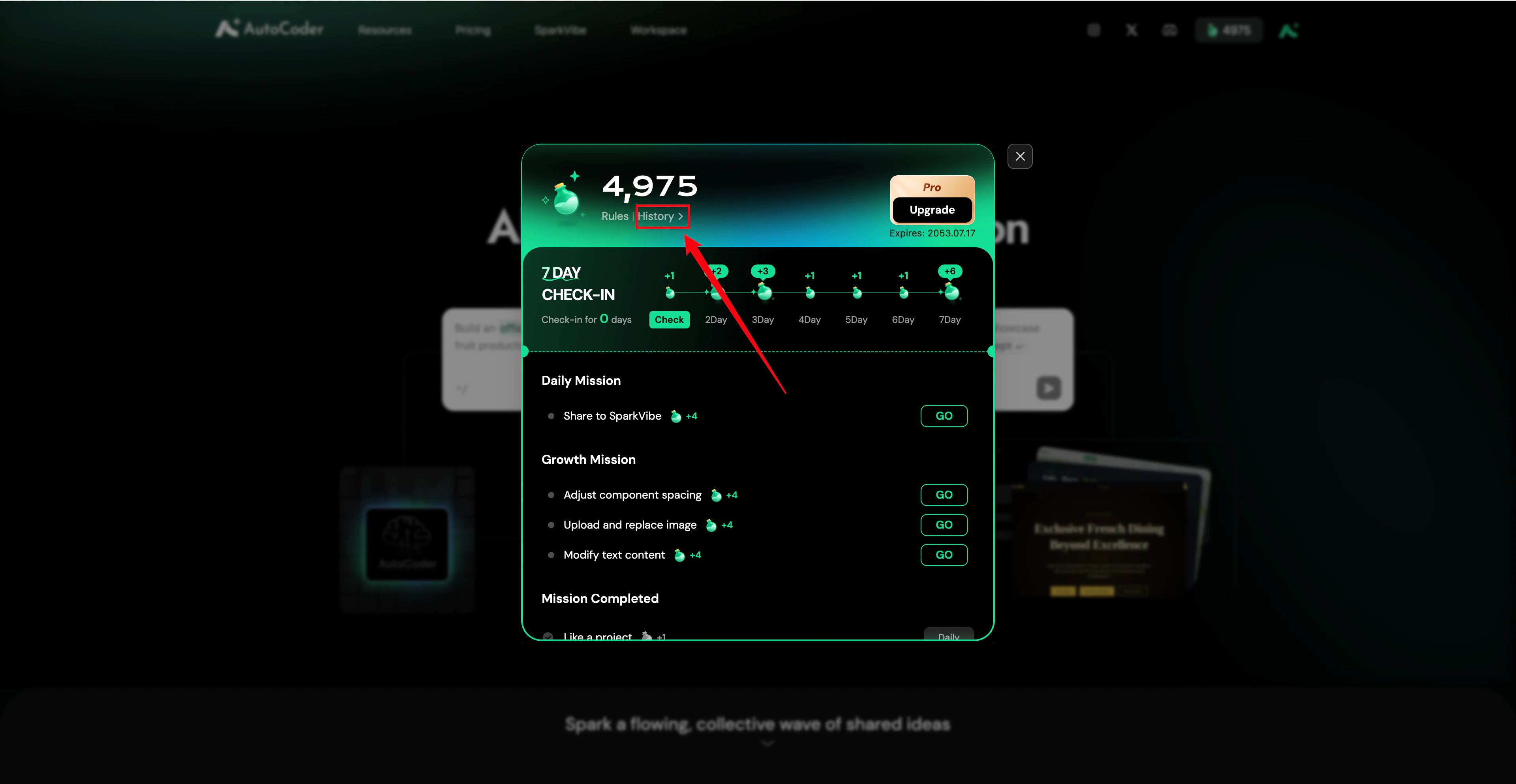
Checking your usage & alerts
- Checking usage: You can check your real-time available credit balance at any time in the top right corner of the AutoCoder.cc Workspace navigation bar.
- Usage alerts: Please keep an eye on your credit balance while using the Workspace. If you run out of credits, your interaction may be interrupted, and you will be prompted with an insufficient balance notice.
Getting more credits
If your credits run out, you can obtain more through the following methods:- Upgrade your membership subscription to get more credits.
- Complete missions in Usage & Credits at the top right corner of the platform to earn credits for free (click “Completing missions” at the bottom of the pricing page).