> ## Documentation Index
> Fetch the complete documentation index at: https://docs.autocoder.cc/docs/llms.txt
> Use this file to discover all available pages before exploring further.
# Profile & Account Settings on AutoCoder.cc
> Manage your AutoCoder.cc profile, account settings, billing details, and subscription from a single page — update personal info, view credit balances, change your plan, and access invoices for your AI app builds.
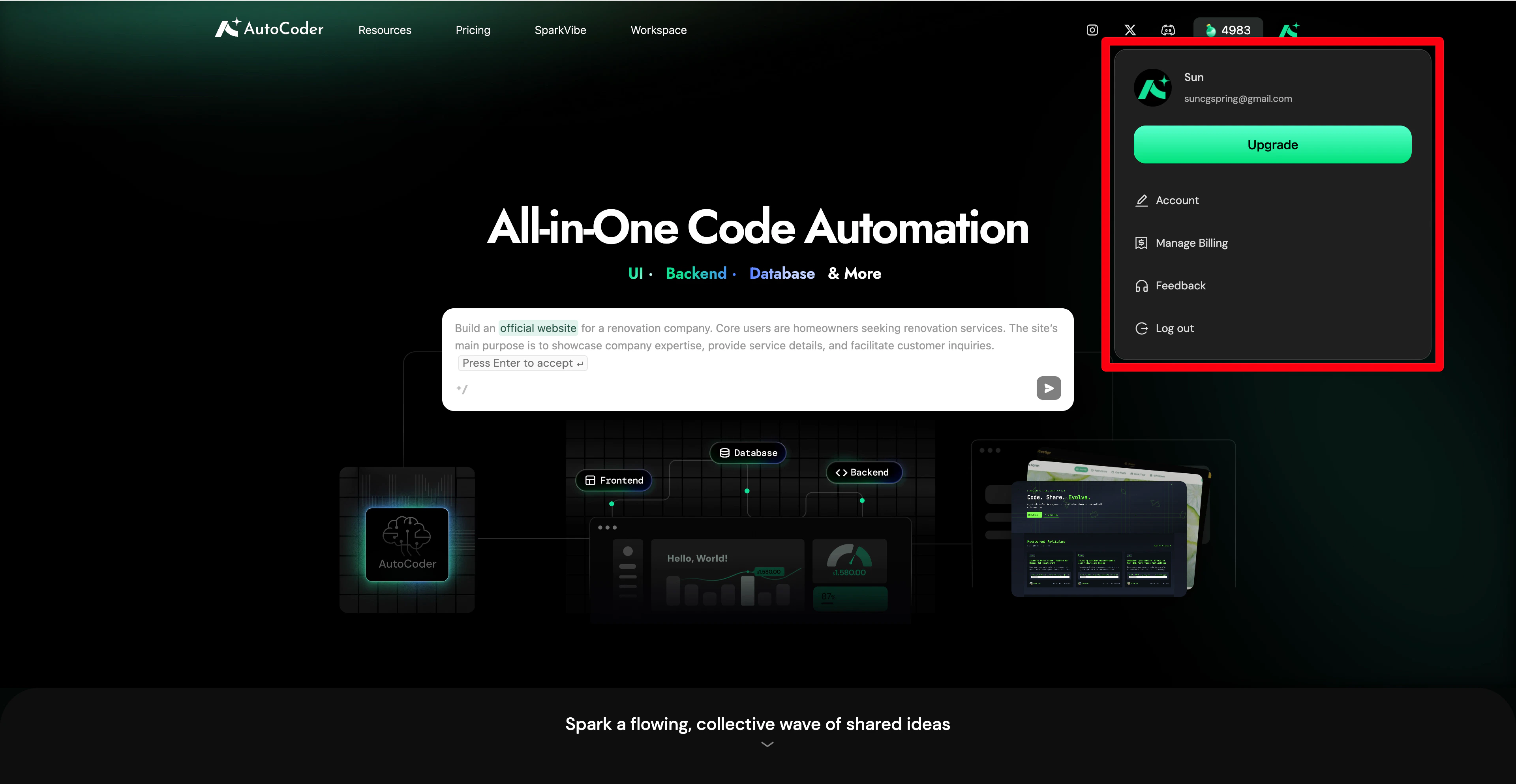 ## Upgrade membership
Click **Upgrade** in the **Profile** or **Pricing** in the top navigation bar to view the complete pricing plans and compare benefits. By subscribing to a paid plan, you unlock premium features such as **Source Code Export**, **Custom Domain**, the latest models, and priority access to new features.
## Upgrade membership
Click **Upgrade** in the **Profile** or **Pricing** in the top navigation bar to view the complete pricing plans and compare benefits. By subscribing to a paid plan, you unlock premium features such as **Source Code Export**, **Custom Domain**, the latest models, and priority access to new features.
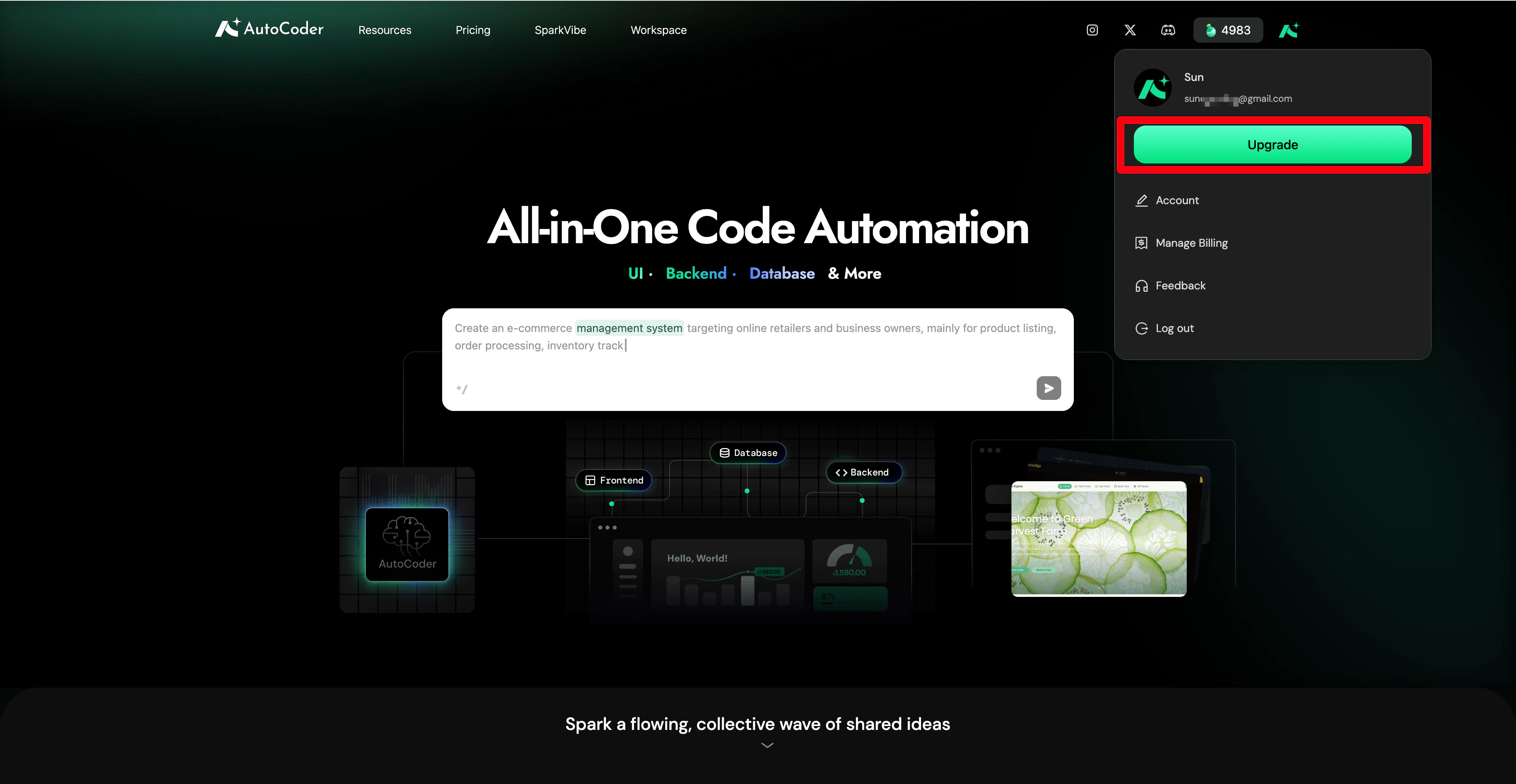 **Plan recommendation**: We strongly recommend prioritizing the **Pro** plan to experience the platform's full capabilities.
**Note**: Monthly credits are only valid during the active membership period. Once the membership expires, any unused monthly credits will be cleared to zero.
***
## Account management
Click **Account** to manage your personal identity information and account security.
**Plan recommendation**: We strongly recommend prioritizing the **Pro** plan to experience the platform's full capabilities.
**Note**: Monthly credits are only valid during the active membership period. Once the membership expires, any unused monthly credits will be cleared to zero.
***
## Account management
Click **Account** to manage your personal identity information and account security.
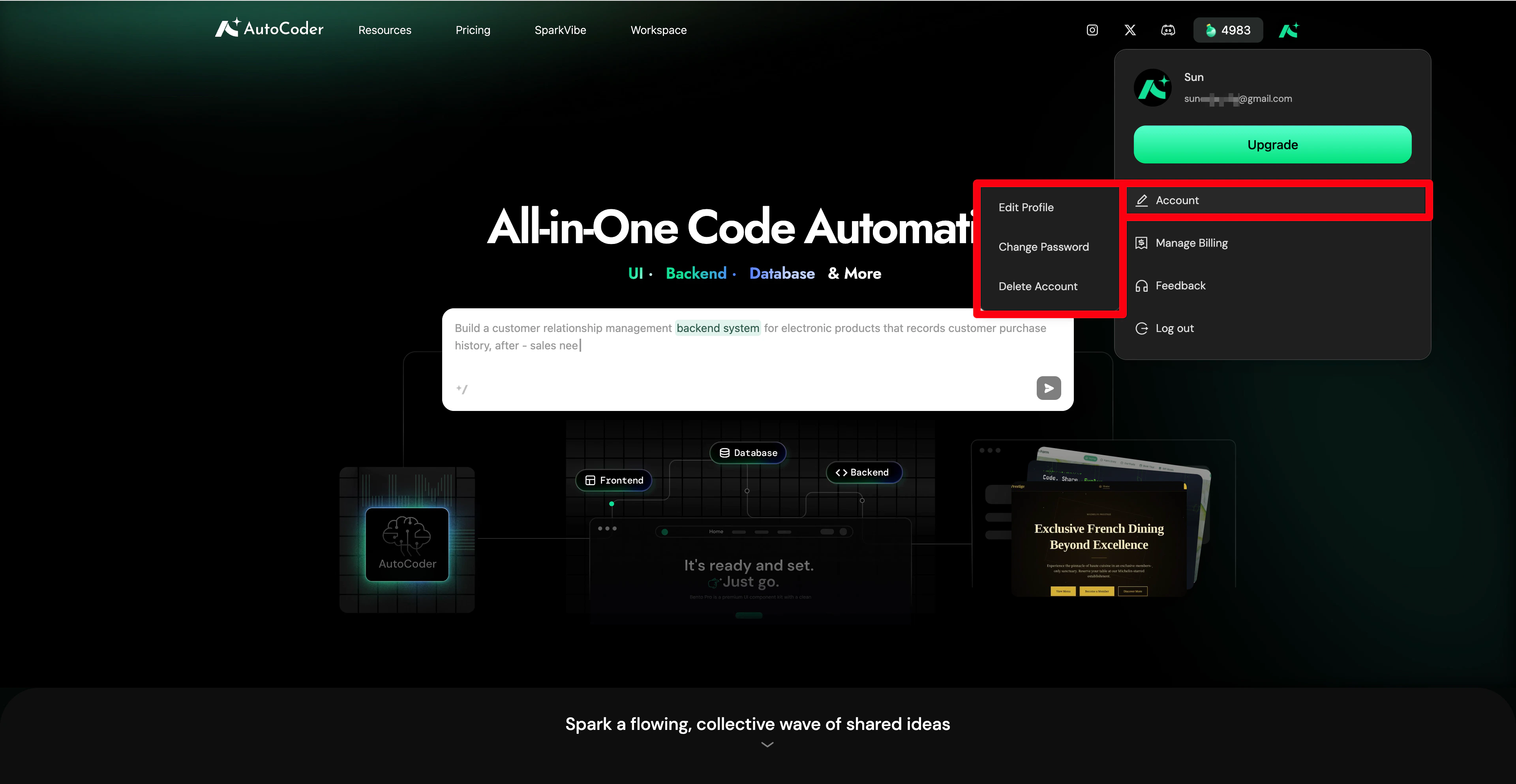 * **Edit profile**: Modify your username here. To ensure account security, the email address bound during registration cannot be modified directly within the app.
* **Change password**: Regularly update your password to protect your account. Changing the password requires email verification.
* **Delete account**: Permanently remove your account and data if you no longer use AutoCoder.cc.
**Warning**: Account deletion **takes effect immediately** and is **irreversible**. Once confirmed, all your data (including generated projects, remaining credits, and account history) is permanently cleared and cannot be recovered. Active paid subscriptions are also canceled immediately. **Proceed with caution.**
***
## Billing management
Click **Manage Billing** to securely redirect to the official our global payment partners billing portal. Here, you can independently complete the following operations:
* **Edit profile**: Modify your username here. To ensure account security, the email address bound during registration cannot be modified directly within the app.
* **Change password**: Regularly update your password to protect your account. Changing the password requires email verification.
* **Delete account**: Permanently remove your account and data if you no longer use AutoCoder.cc.
**Warning**: Account deletion **takes effect immediately** and is **irreversible**. Once confirmed, all your data (including generated projects, remaining credits, and account history) is permanently cleared and cannot be recovered. Active paid subscriptions are also canceled immediately. **Proceed with caution.**
***
## Billing management
Click **Manage Billing** to securely redirect to the official our global payment partners billing portal. Here, you can independently complete the following operations:
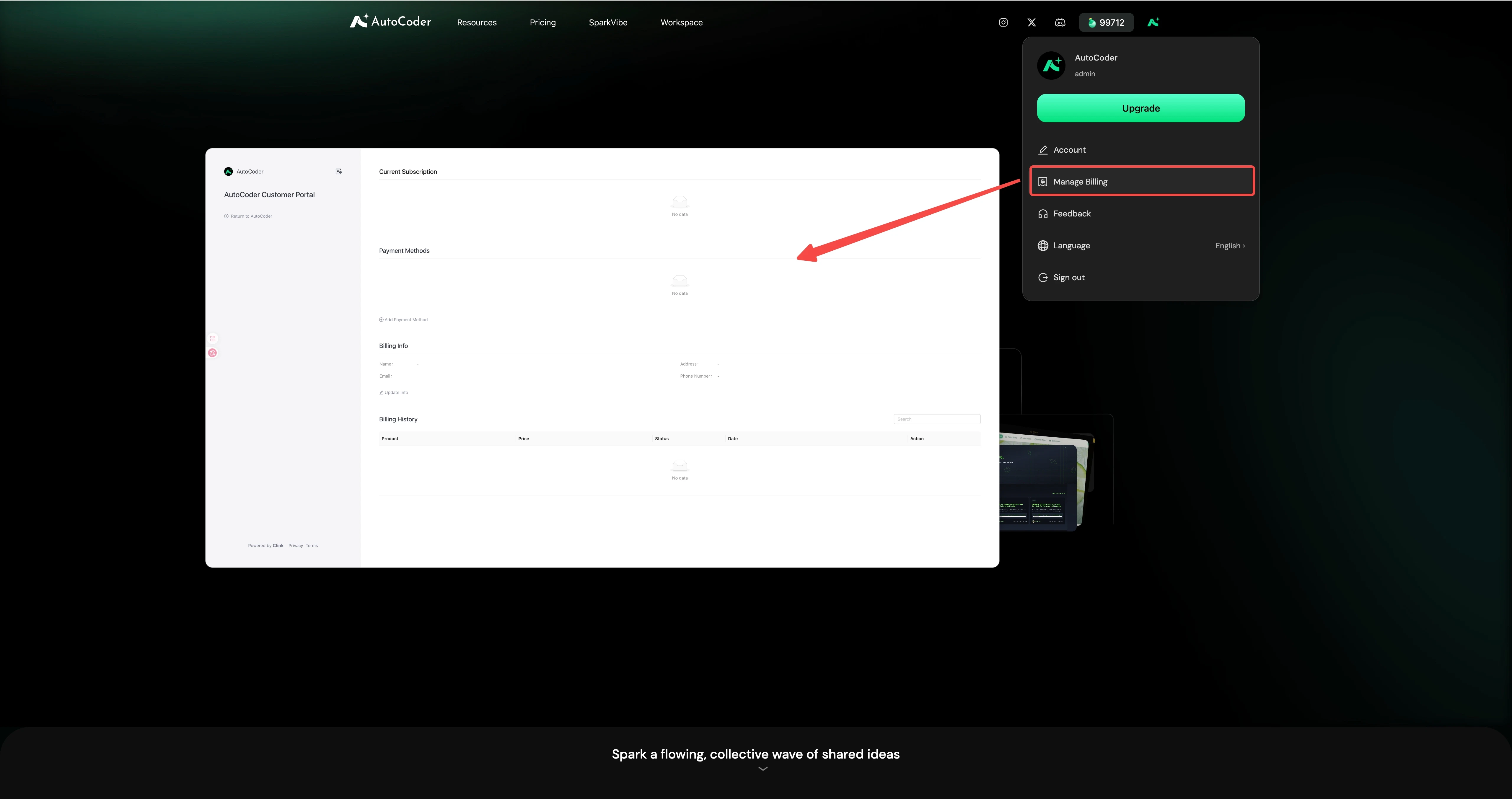 * **Manage payment methods**: Add, remove, or update your payment channels. Currently supported methods include Secure Payment Gateway Link fast checkout, as well as major credit cards like Visa, Mastercard, American Express, and UnionPay.
* **Update billing information**: Modify the email address used to receive electronic invoices and billing notifications.
* **View billing history**: Check historical deduction details and download electronic invoices.
***
## Feedback
If you encounter system bugs, functional anomalies, or have suggestions for improvement, click **Feedback**:
* Select the corresponding **Feedback Type** in the pop-up form, describe your issue in detail (up to 1000 characters), and click **Submit** to send it directly to the product team.
* For in-depth customer support or business collaboration inquiries, email the official support team directly at: `support@autocoder.cc`.
***
## Log out
Click **Log Out** to securely end your current session and return to the preview interface.
* **Manage payment methods**: Add, remove, or update your payment channels. Currently supported methods include Secure Payment Gateway Link fast checkout, as well as major credit cards like Visa, Mastercard, American Express, and UnionPay.
* **Update billing information**: Modify the email address used to receive electronic invoices and billing notifications.
* **View billing history**: Check historical deduction details and download electronic invoices.
***
## Feedback
If you encounter system bugs, functional anomalies, or have suggestions for improvement, click **Feedback**:
* Select the corresponding **Feedback Type** in the pop-up form, describe your issue in detail (up to 1000 characters), and click **Submit** to send it directly to the product team.
* For in-depth customer support or business collaboration inquiries, email the official support team directly at: `support@autocoder.cc`.
***
## Log out
Click **Log Out** to securely end your current session and return to the preview interface.