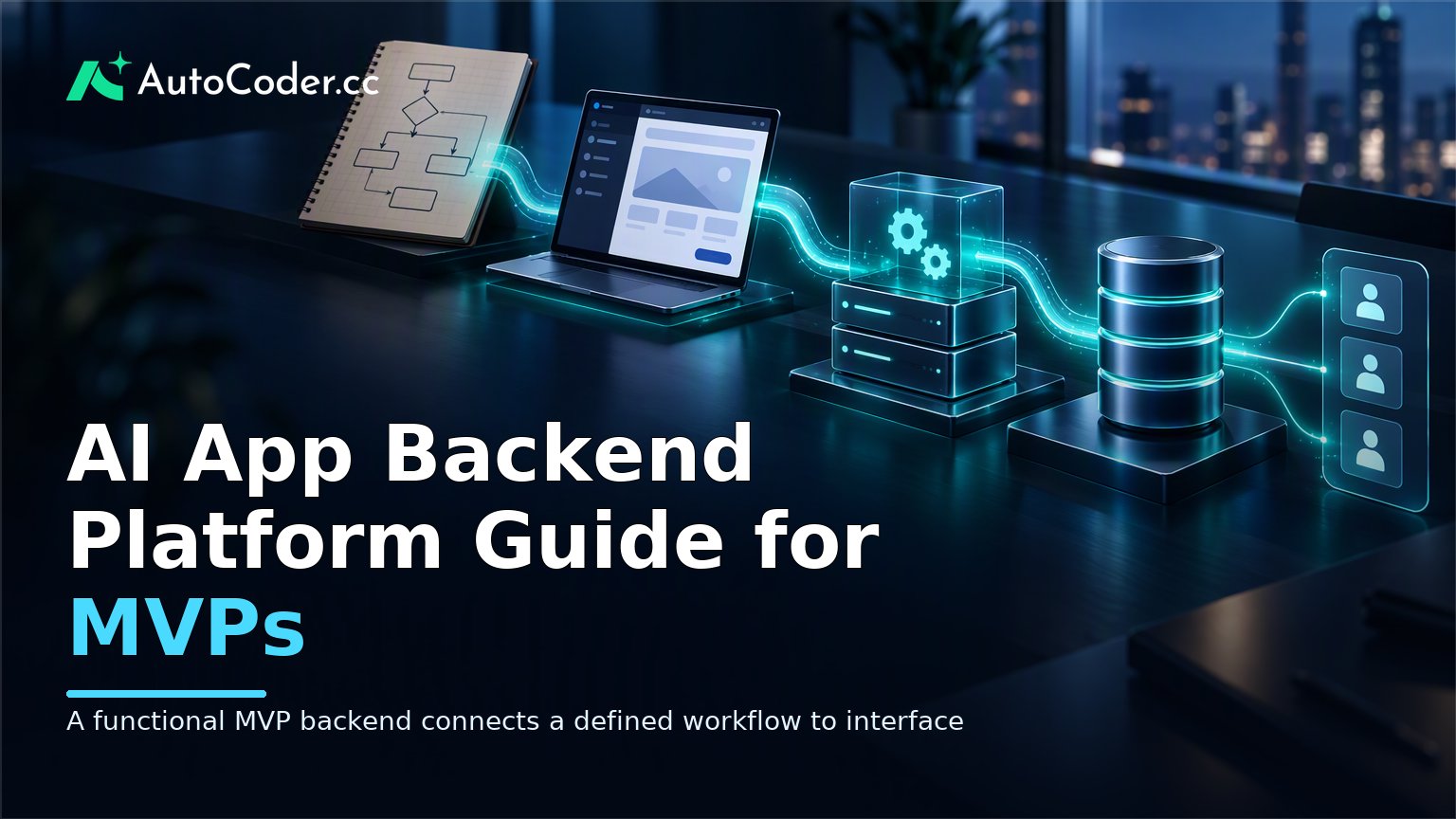
Editorial illustration of a written MVP workflow becoming connected frontend, backend, database, and user-access components

A functional MVP backend connects a defined workflow to interface behavior, data, logic, and user access.

An AI app backend platform helps a team turn product requirements expressed in natural language into working application foundations: data structures, application logic, user access, and connections between the interface and stored information. For MVP builders, its practical value is not eliminating technical decisions. It is shortening the path from a defined user workflow to a functional version that can be reviewed, tested, and changed. A useful way to approach this category is to separate generation from ownership. A platform may create a starting point for a full-stack application, but the team still needs to decide what the product should do, what data it should keep, who should be allowed to do what, and how the application should behave when conditions are incomplete or unexpected.

What an AI app backend platform is

The practical point: an AI app backend platform translates an application brief into backend components that support a real workflow, not merely a visual prototype. A frontend presents screens, forms, navigation, and feedback to a user. The backend handles the work behind those screens. It receives requests, applies rules, reads or writes data, and determines what a given user can access. A database holds structured application information, such as accounts, records, statuses, or timestamps. An AI-assisted platform can use a written description as a starting input for these parts. For example, a team might describe a small internal request-tracking app: employees submit requests, managers review them, and requesters can see the current status. That description implies several backend needs. This is different from a tool that creates only interface mockups. An AI full-stack app builder is relevant when the objective is a functional application with connected frontend, backend, and database elements. The output should be treated as an implementation baseline: something concrete enough to exercise the intended user journey, inspect the generated structure, and refine according to product feedback. Generation works best when requirements are stated in terms of observable behavior. “Build a marketplace” leaves many central decisions unspecified. “Let signed-in sellers create listings with a title, description, and availability; let buyers view listings but not edit them” gives the system clearer inputs. The term “AI backend generator” can therefore be misleading if it suggests a finished backend is produced without design work. It is better understood as assistance with converting an initial specification into editable application components. The quality and completeness of the result remain closely tied to the clarity of the workflow and the care taken in validation.

The backend components that matter for an MVP

The practical point: evaluate whether a platform can support the smallest complete workflow your users need, rather than counting generated features. For an MVP, the backend should enable a user to complete a valuable task from beginning to end. That usually requires a limited but connected set of components. The appropriate scope depends on the product, yet several categories recur across applications. Data models and database operations. AI database generation can provide a first structure for the information the app needs to retain. A scheduling product may need appointments, availability, and users. A feedback tool may need submissions, categories, owners, and statuses. The important question is whether the model reflects real relationships and rules. Application logic. Logic connects actions to outcomes. When someone submits a form, the application may validate required details, create a record, assign an initial state, and return a confirmation. Some logic is straightforward, while other logic involves exceptions, dependencies, or business-specific policies. Authentication and access control. AI authentication setup can help establish common account flows and protected parts of an application. It does not remove the need to specify roles and permissions. A simple MVP may have only signed-out and signed-in states. Another may require distinct abilities for administrators, contributors, customers, or reviewers. Frontend-to-backend connections. A useful functional prototype has forms and views connected to the underlying data and logic. A screen that displays a list should handle empty states as well as populated ones. A form should make clear what happens when an entry is missing or invalid. Deployment and iteration. MVP work benefits from a path to make an application available for review and continue modifying it as learning accumulates. Deployment is not simply a final handoff. It makes it possible to test a realistic flow with intended users or internal stakeholders, then revise the product based on what they encounter. AutoCoder’s AI app builder is described as generating frontend, backend, and database components from natural-language requirements, with authentication and deployment workflows. For teams considering any platform in this category, the relevant question is whether its documented capabilities cover the components needed for the first usable workflow—not whether it can produce a long feature list.

How AI-generated backends fit into MVP development
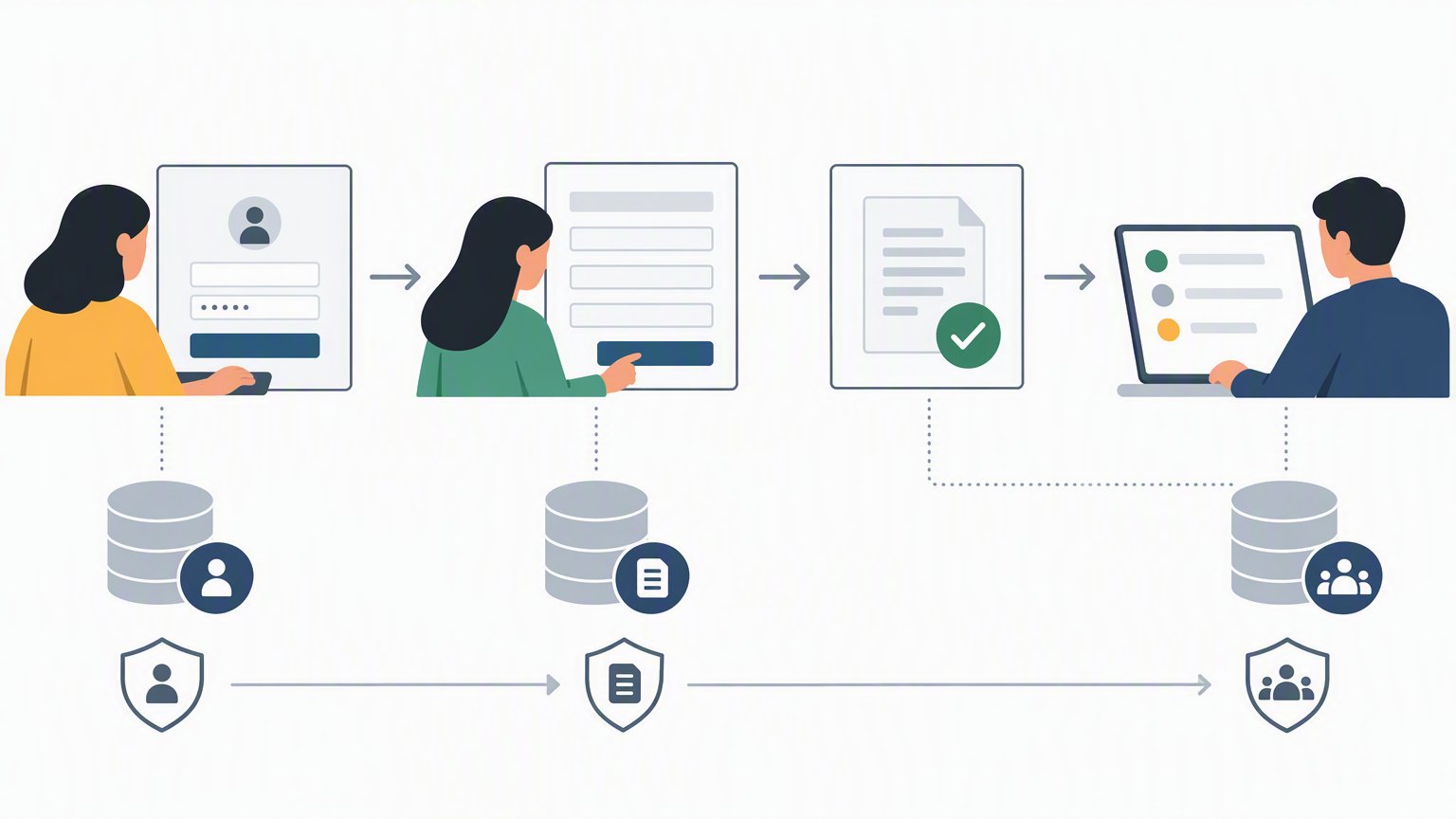
Workflow diagram showing a focused MVP request journey from sign-in to submission and reviewer status update

A useful MVP begins with one complete user journey and the minimum data and permission rules needed to complete it.

The practical point: use generated backend work to test a focused assumption, then strengthen the implementation only where evidence and risk justify it. MVP app development is often slowed by uncertainty disguised as scope. A team may say it needs a dashboard, notifications, integrations, reporting, permissions, and multiple user types before it has validated whether users will complete the central task. An AI-assisted approach is most useful when it helps the team reduce that uncertainty with a working, deliberately narrow application. Start by writing one user journey in plain language. Identify the actor, the initiating action, the information entered or selected, the result, and the next state. For a simple client-intake product, the journey might be: a visitor creates an account, completes an intake form, submits it, and sees a confirmation while an internal reviewer can view the submission. Next, define the minimum data required for that journey. Avoid adding fields simply because they might be useful later. Ask what the application must know to complete the task and display a meaningful result. Also state which information is optional, which values have fixed choices, and whether a record belongs to a particular account. These choices make generated data structures easier to review. Then create the initial application and test it as a user would. Register an account, submit a record, revisit the relevant screen, and try actions that should not be allowed. Test empty forms, incomplete inputs, duplicate attempts where relevant, and role boundaries. After the workflow is functioning, turn feedback into specific revisions. “Users found it confusing” is less actionable than “users expected to edit a submitted request, but the product does not state whether edits are permitted.” The second observation prompts a decision about data state, permissions, interface copy, and backend behavior. A common misconception is that an AI-generated backend is appropriate only for non-technical teams. Developers can use it as a starting implementation, while product and design teammates use the shared functional artifact to clarify requirements. Another misconception is that generated code makes technical review optional.

How to evaluate an AI app backend platform
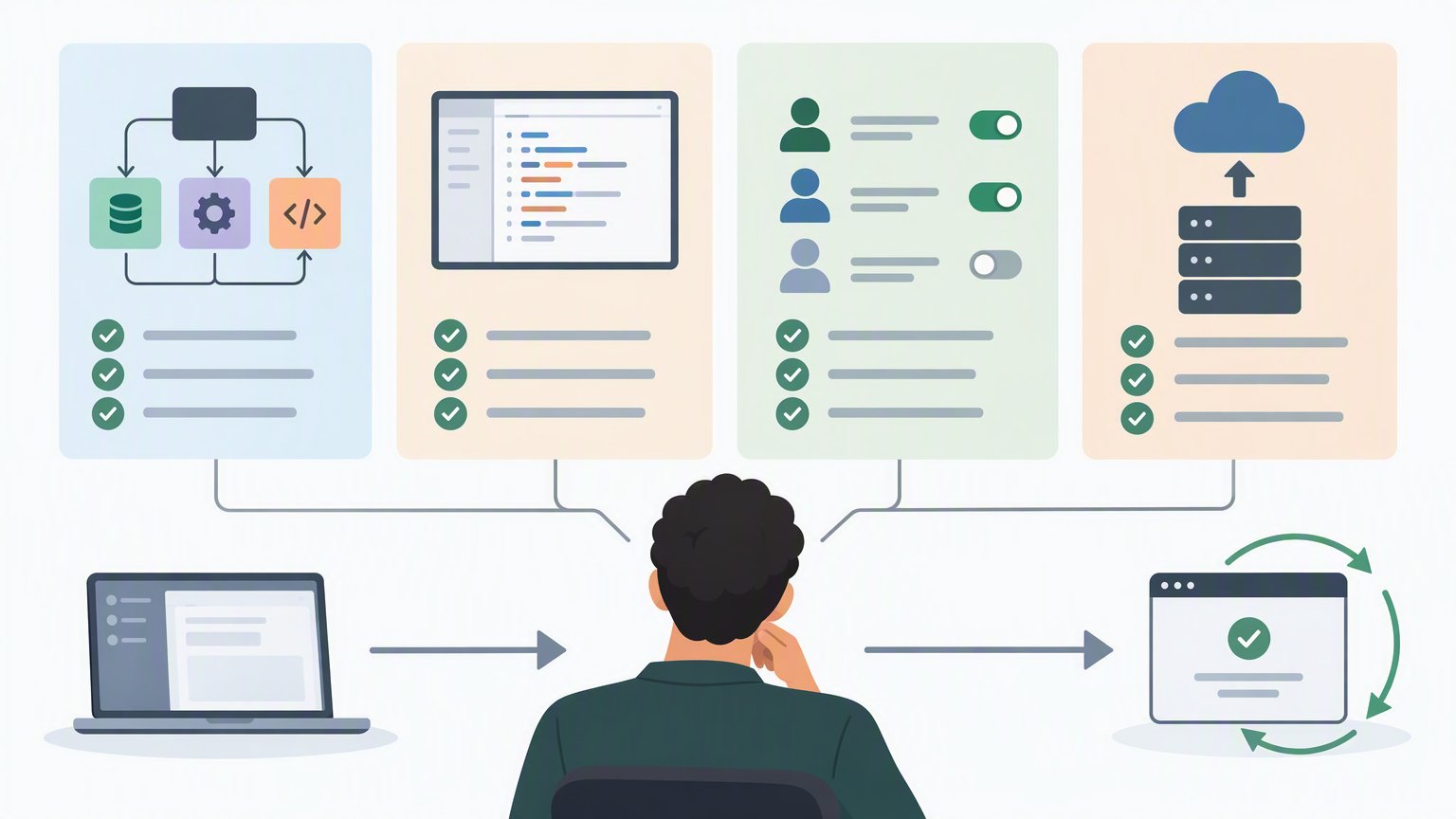
Comparison diagram of platform evaluation criteria: workflow coverage, editability, access controls, and deployment fit

Tool selection should focus on workflow coverage, editability, access control, and the ability to continue iterating after the first prototype.

The practical point: assess editability, workflow coverage, and operational fit before committing a product process to a generated application. Begin with the shape of the output. If the goal is a functional MVP, confirm that the platform addresses backend and database work alongside interface generation. A visually convincing prototype may still leave core application behavior unresolved. Ask what is generated for data models, how frontend actions connect to backend operations, and how user access is handled. Next, examine how requirements are expressed and revised. Natural-language input is useful, but product descriptions evolve. A platform should fit a workflow in which the team can clarify a requirement, regenerate or adjust a component, and inspect the result. Ambiguity should be expected, not treated as an edge case. Source-code access is another practical criterion. Requirements often outgrow an early prototype, and teams may need to make changes beyond an initial generated version. Check whether source code can be exported and continued in an editable form, and determine who on the team can maintain it. Review the platform’s approach to authentication, deployment, and ongoing changes. Authentication should align with the user roles the MVP truly needs. Deployment should support the team’s intended review or launch process. A platform does not need to solve every future operational concern to be useful for an MVP, but teams should understand where its workflow ends and where their own technical process begins. Finally, match the tool to the use case. A founder validating a single user journey may prioritize a fast route to a connected prototype. A product team may prioritize shared iteration between product, design, and engineering. A developer may prioritize editable generated code and a foundation that can be extended. AutoCoder states that applications can be exported and further edited, which is the kind of continuity worth checking when a prototype may need to develop into a more durable application.

Misconceptions and boundaries to keep in view

The practical point: treat generation as implementation assistance, not as a replacement for product responsibility or technical judgment. One misconception is that a generated backend automatically captures the business rules a team has not articulated. It cannot reliably resolve decisions that remain unclear to the people building the product. If a team has not determined whether users may delete records, who sees sensitive information, or what happens after a failed action, those questions still need answers. Another is that an MVP can safely ignore data handling because it is temporary. A temporary product may still process real accounts and real information. Teams should keep the first version narrow, avoid collecting unnecessary data, and review access behavior before inviting real users. It is also unhelpful to frame AI-assisted building as either fully no-code or fully engineering-led. Many teams will work somewhere between those labels. Product people may define workflows, designers may refine the experience, and developers may inspect or extend generated implementation. The useful standard is whether responsibilities are explicit and the application can be safely changed as knowledge improves.

FAQ

What is an AI app backend platform?

An AI app backend platform uses natural-language requirements to help generate backend elements for an application, such as data structures, logic, user access, and connections to the frontend. It is intended to provide an editable starting point for a functional app rather than only a visual design.

Can an AI app backend platform generate a database and authentication flow?

Some platforms are designed to generate database components and support authentication workflows. Teams should still review the data model, user roles, protected areas, and permissions to ensure they match the product’s intended behavior.

Is an AI-generated backend suitable for an MVP?

It can be suitable when the MVP has a focused workflow and the team tests the generated application carefully. It is most useful for validating a product assumption, not for avoiding decisions about data, access, exceptions, or maintenance.

Can developers edit source code generated by an AI app builder?

That depends on the platform. If developers may need to extend the application, verify that generated source code can be exported and edited, and clarify how the team will take responsibility for later changes.

Conclusion

An AI app backend platform can help MVP teams move from a written workflow to a connected application with backend, database, and user-access foundations. Its value lies in accelerating a reviewable starting point, not in making product rules or technical accountability disappear. Define one useful journey, keep the data model narrow, test generated behavior and permissions, and choose a platform whose editable output fits how the application may need to evolve.